How to Pick the Right AI Model for the Job: A Guide to Reasoning, Cost, and Context
Don't call in an excavator to change a lightbulb
How to pick the right AI model for the job: reasoning models for code and logic, cheap ones for classification, big context for documents, local ones for private data. Take the smallest model that does the job.
What “picking a model for the job” actually means
Picture your garage holding a whole fleet: a kick scooter, a regular sedan, a racing car, and an armored cash-transport van. They all drive. But take the race car to grab bread at the corner shop and you’ll burn a tank of fuel, deafen your neighbors, and blow a pile of money on nothing. And a fridge on a scooter? You just won’t get it there.
It’s exactly the same story with language models An LLM (large language model) is a program trained on enormous amounts of text that answers your queries in words. ChatGPT, Claude, Gemini, and local models are all LLMs. . There are lots of them, in different power tiers and price points. And the trick isn’t finding “the very best one.” The trick is grabbing the right one for the specific job. Often that’s not the top model - it’s the most modest one that still gets it done.

Why bother picking a model for the job at all
You could pour every task into one priciest model. And it’d even work. You’d just overpay several times over, wait longer, and sometimes get a worse result on top of it. A heavy model can “overthink” trivial stuff and get bogged down where a single line would’ve done.
- Cost. The gap between the cheapest and the top model is several times the price for the same volume. Across a stream of tasks that turns into real money.
- Speed. A light model answers noticeably faster. For small stuff, automation, and live chat, that’s everything.
- Privacy. Some data simply can’t be sent to the cloud. The question here isn’t about price - it’s about whether you’re even allowed to.
- Quality. On hard logic a cheap model falls apart. And knowing when to dial up the power - that’s a skill in itself.
Nine out of ten complaints that “the AI is dumb” and “the AI is expensive” aren’t about the AI. They’re about grabbing the wrong model for the job. It’s not the scooter’s fault it can’t haul a fridge.
The three weight classes of models: light, mid, heavy
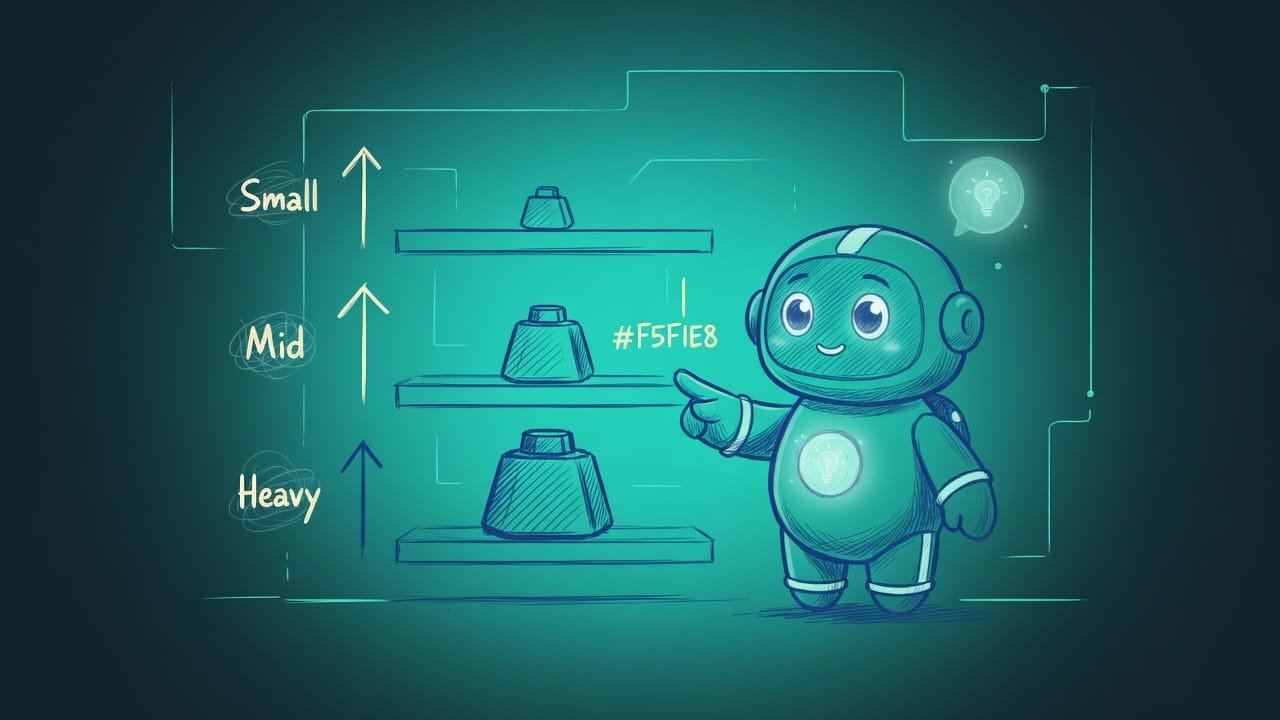
Start with the main thing - the weight. By smarts and price, models roughly fall onto three shelves. Names and versions get reshuffled constantly, so memorize the shelves, not the names.
Cheap and fast models - for small stuff and high volume
The lightest of the bunch. They cost pennies and answer almost instantly. They don’t shine on complex logic - and they don’t need to.
Use them for: classification Classification is the task of sorting an input into predefined buckets: spam or not spam, positive or negative, product category. You don't need a heavy model for it. (spam or not spam, the tone of a review), pulling data out of text, simple rephrasing, translating short phrases, sorting and routing requests. Anything where you don’t need to think deeply - you need it fast and in bulk.
Mid-tier models - your everyday workhorse
The sweet spot of price and smarts. This is the default for most tasks: writing an email, drafting an article, explaining a topic, knocking out a simple script, replying to a user in chat.
Not sure where to start? Start here. Nine times out of ten the mid-tier is enough. You’ll shift to the cheap or the top model only when you hit a ceiling - from below (the task is too simple to pay for) or from above (the task is beyond it).
Heavy reasoning models - for complex code and logic
The top-tier models with a reasoning mode Reasoning is a mode where the model “thinks” step by step before answering: it breaks the task down and checks options. Stronger on hard logic, code, and math, but pricier and slower. . Expensive and not the snappiest, but on complex logic nothing comes close.
Pull these out for tangled code and debugging, multi-step logic, serious math, architectural decisions, long chains of inference - anywhere one mistake breaks everything. Skimping here costs you more: a cheap model will spit out plausible nonsense, and verifying it eats up more than you saved.
Context window and privacy: two separate axes of the choice
Weight isn’t all you’re choosing. On top of it there are two more independent things. They’re not about “smarter or dumber” - they’re about “will the document fit” and “can this data even leave the building at all.”
A big context window - for long documents
The size of the context window A context window is how much text the model holds “in its head” for a single query: both your input and its answer. It's measured in tokens. The bigger the window, the longer a document can fit in whole. is a separate axis, and it often comes bundled with the top models. Need to feed in a whole contract, an entire codebase, or a book? You need a model that can hold it all at once, not in pieces.
Big models today hold very large windows: counts run into the hundreds of thousands of tokens A token is a chunk of text the model works with. Roughly: one token is about three or four characters, or around three-quarters of a word. Document length and price are both counted in tokens. , and some models go even higher. The exact numbers go stale before your eyes, but the principle is rock solid: long document - model with a big window. Otherwise it’ll “forget” the beginning by the time it reaches the end.
Local models - for private data
A special case. A local model A local model is one that runs on your own computer or server, without sending data to someone else's cloud. Usually weaker than the top cloud models, but the data never leaves your hardware. runs on your own hardware and sends data nowhere. Weaker than the cloud top-tier - usually, yes. But here the selection criterion is completely different.
Go local when the data can’t leave the building: medical records, clients’ legal documents, someone else’s trade secrets, personal data protected by law. The question isn’t “cheaper or pricier,” it’s “can this even be sent to the cloud at all.” Often - it can’t.
The core principle: take the smallest model that does the job
Here’s the rule everything rests on. Don’t grab a model more powerful than the task needs. Start low and move up - only if the result is genuinely bad.
- You start with a cheap or mid-tier one - you get a result for pennies and almost instantly.
- You dial up power surgically, only where you've actually hit a ceiling.
- You pay for smarts exactly where smarts are needed - and nowhere else.
- You pour everything into the top model - and overpay several times over for classification and small stuff.
- You wait on a slow answer where a fast one would have been more than enough.
- Sometimes you get worse: a heavy model “overthinks” the simple stuff.
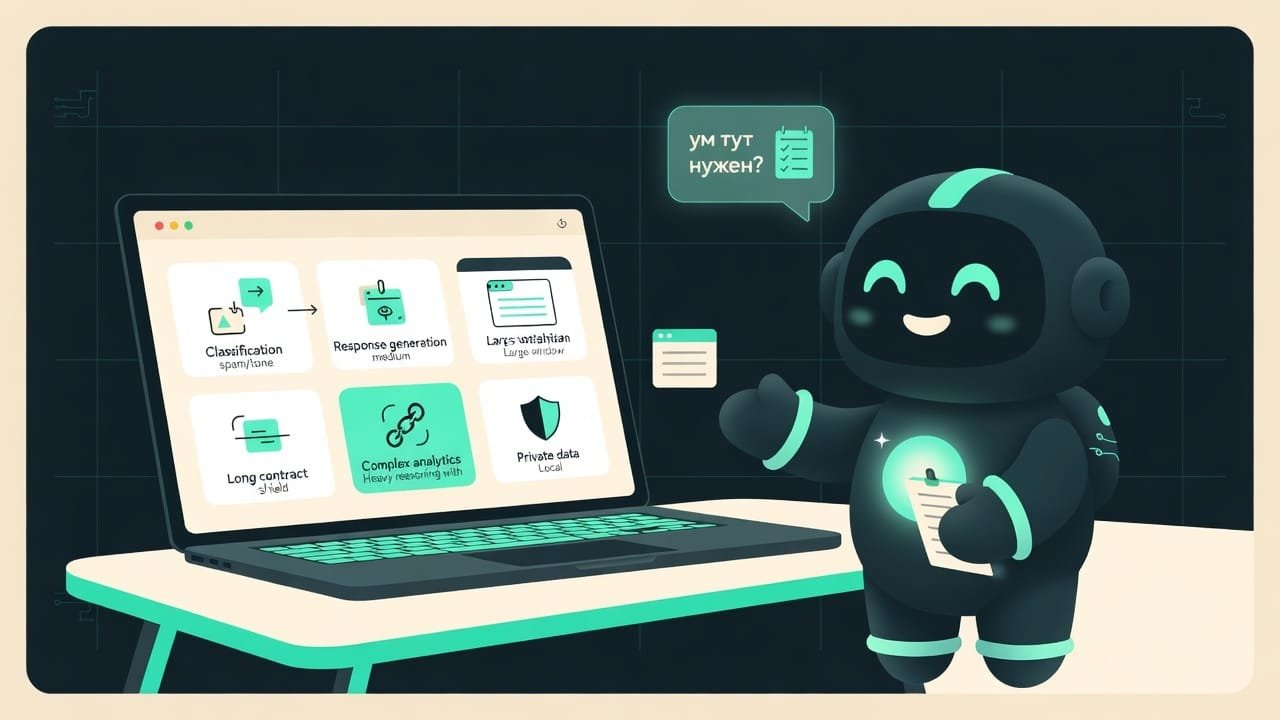
Classification, spam, review tone, field extraction - cheap and fast.
Email, article, explanation, simple script, chat reply - mid-tier workhorse.
Complex code, debugging, multi-step logic, math - heavy reasoning.
A whole contract, the entire codebase, a book - model with a big window.
Medical, legal, others’ secrets, personal data - local on your own hardware.
Not sure where to start - take the mid-tier and move on from there.
Example: one project, four different models
Say you’re building an app for cafe reviews. Different models live happily together in a single project - each one in its own place. And that’s the norm, not a mess.
- Sorting incoming reviews into “good” and “bad” - that’s classification, take the cheapest and fastest.
- Generating a polite reply to a review - a mid-tier workhorse handles that fine.
- Writing an analytics module with tricky counting logic - now you want a heavy reasoning model.
- Parsing a two-hundred-page lease in full - a model with a big context window.
- If clients’ personal data shows up in the inbox and can’t be sent to the cloud - a local model.
Common mistakes when picking a model
- Pouring everything into the priciest model. Classification on a top reasoning model is a bread run in a race car. It drives, but you overpay several times over.
- Skimping on hard logic. Tangled code on the cheapest model gives you plausible nonsense. Verifying it eats up more than you saved.
- Chopping a long document into pieces for no reason. There’s a model with a big window - hand it the whole document. Otherwise it’ll forget the start by the end.
- Loading a giant context “just in case.” Pricier and worse: models are weakest in the middle of a long text. Load only what genuinely needs to be seen whole.
- Sending private data to the cloud. Medical, legal, others’ secrets - this isn’t about saving money, it’s about “can it even be done.” Often it can’t - then it’s local only.
- Memorizing specific model names. Versions change constantly. Keep the categories in your head - and any new release will slot itself onto its shelf.
TL;DR - если коротко
- Models split by weight: cheap-and-fast, mid-tier-workhorse, heavy-thinkers. The price gap between the extremes is several times over.
- Complex code and logic - top reasoning model. Small stuff and classification - the cheapest one. Don't skimp here, don't burn money there.
- Long documents (a contract, a codebase, a book) - a model with a big context window. Not five queries in a row - one.
- Private data (medical, legal, someone else's secrets) - a local model on your own hardware. Nothing leaks.
- The core principle: take the smallest model that does the job. Start low, dial up power only when you actually hit a wall.
- Model names and versions get reshuffled every month. Keep the categories in your head, not the names.