Your Agent Went Dumb: How to Find the Cause and Fix Your AI Agent
Don't panic, don't nuke the project — diagnosis first, treatment second
Agent stuck in a loop, going in circles, or talking nonsense? We walk through a checklist of why an AI agent goes dumb and how to fix the actual cause — calmly, like a mechanic, not a panicked driver.
What “the agent went dumb” actually means
The car stalls. From here, two kinds of people. The first one bangs on the hood, yells “come on, work!” and cranks the key a tenth time, hoping it’ll “start on its own.” The second one pops the hood, shines a flashlight inside — and it’s just out of gas.
It’s the exact same story with an AI agent. It “went dumb” — got stuck in a loop, goes in circles, argues, or talks nonsense. A beginner bangs on the hood: re-asks the same thing in slightly different words, gets mad, and finally nukes the whole project. A vibecoder pops the hood: runs a diagnosis, finds the cause, and treats exactly that. The difference is hours of time and a pile of burned tokens.

Why learn to diagnose an AI agent
Because the agent will go dumb. It’s as inevitable as Friday-evening traffic. The only question is what you do at that moment — panic, or fix it?
- No diagnostic skill means you burn tokens (and therefore money) on pointless re-asks.
- You lose hours arguing with the AI when the cause could be found in a minute.
- In a panic you’re capable of nuking working code, even though the breakage was trivial.
This lesson is your “first-aid kit.” In the ECC ECC (Engineering-Centric Coding) is a set of advanced working techniques for getting things done with agents. agent-introspection-debugging is the “self-diagnosis skill”: it teaches the agent to break down its own failures step by step before giving up. skill set it’s called
agent-introspection-debugging— a structured failure breakdown instead of blind retries. Let’s unpack it into simple steps.
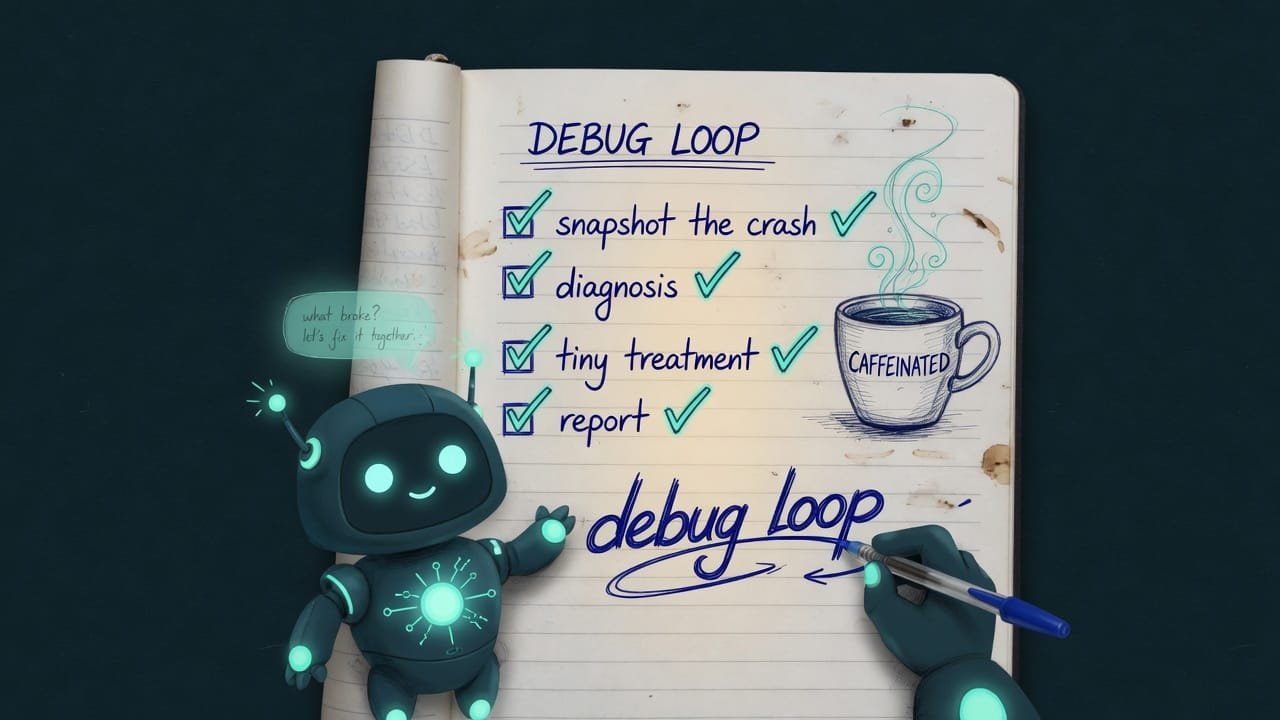
How to fix an agent: 4 steps instead of panic
Remember one rule: don’t repeat the same thing three times, changing a couple of words. That’s the single most common anti-pattern. Want results? Walk through four phases. Each one takes a couple of minutes, and together they save hours.
Step 1. Snapshot the failure — take a photo of the crash scene
Before you touch anything, write down what actually happened. Not in your head — in words:
- What was the agent trying to do when it broke?
- What error showed up (exact text, if any)?
- What was the last successful step?
- What action keeps repeating in a loop?
- What does the agent think is true about the world — where does it think it is (folder, branch, which files exist)?
Step 2. Find the cause — make a diagnosis
Now match the symptom to a typical cause. There aren’t many, and they’re recognizable on sight:
| What you see | Most likely cause |
|---|---|
| Hammering the same command in a loop | stuck in a loop, no exit |
| Answers drift, details get muddled | desk is cluttered — junk in the context |
| “Not responding / connection refused” | service isn’t running, or wrong address/port |
| File “disappeared” after being written | wrong folder or wrong branch |
| Tests still fail after the “fix” | the hypothesis was wrong |
And here are four filter questions — they cut out the noise and name the type of breakage:
- Is it logic (the agent thinks wrong), state (the world isn’t what it thinks), environment (something external isn’t working), or a rule (it was never given an instruction)?
- Has it lost the goal and is now polishing the wrong task?
- Is the failure consistent, or random — there one minute, gone the next?
- What’s the smallest action that would confirm I guessed the cause right?
Step 3. Treat it with a small action
No “rewrite everything from scratch.” Take the smallest action that changes the picture:
- Stop the retries and restate the goal in one sentence.
- Clear the desk: keep only the goal, the blocker, and the facts.
- Check reality: which files actually exist, which branch, what's running.
- Narrow the task to one command, one file, one test.
- Repeat the same command a third time in different words.
- Immediately nuke and rewrite the whole project “just in case.”
- Trust the agent's memory instead of checking what's actually on disk.
- Ask for magic like “reset your state” — nobody can do that.
Step 4. A short report so you don’t make the same mistake twice
Don’t finish on “done, fixed it.” Jot down briefly: what broke, what the cause was, what I did, how I knew it got better. That’s your insurance. Next time you’ll recognize the pattern in seconds instead of half an hour.
When it’s not the model that’s dumb, but the wrapper (the harness)
Sometimes it’s trickier. The model itself is smart — you ran it “live” and everything was fine. But inside your app it goes dumb. That means it’s not the chef screwing up, it’s the kitchen around them — the wrapper, a.k.a. the harness. In ECC this is covered by the agent-architecture-audit skill.
The idea is simple. Between the model’s brain and what you see lies a stack of layers: the system prompt, the history, long-term memory, tool selection, tool execution, reading the result, rendering the answer. And any one of them can quietly spoil a good answer.
The harness The harness (wrapper) is all the plumbing around the model: tools, memory, rules, output format. The model is shared by everyone, but every app has its own wrapper — and that's what's usually to blame for the “dumbness.” breaks in a few typical ways:
- The same answer both inside and on your screen — nothing gets swapped out.
- The “you must call the tool” rule is baked into the code, not just in the text.
- Memory gives priority to your edits, not old notes.
- Topics from past sessions don't bleed into a new conversation.
- The logs show the right answer, but the screen shows a broken one — something mangles the output along the way.
- The prompt says “you must use the tool,” yet the agent happily answers without it.
- The agent drags old topics into a new conversation — memory has “leaked.”
- Somewhere a second invisible pass is quietly running that “fixes” the answer.
Here are some quick indicator questions. Even one “yes” tells you where to dig:
- Can the agent skip a required tool and still answer? That means the rule lives only in the text, not in the code.
- Does old content surface in new conversations? The memory is contaminated.
- Is the same thing sitting in the prompt, in memory, and in the history all at once? Duplication is clogging the desk.
- Does the answer differ between “inside” and “on screen”? Something is mangling the output along the way.
A real-world example: the agent operates on the wrong leg
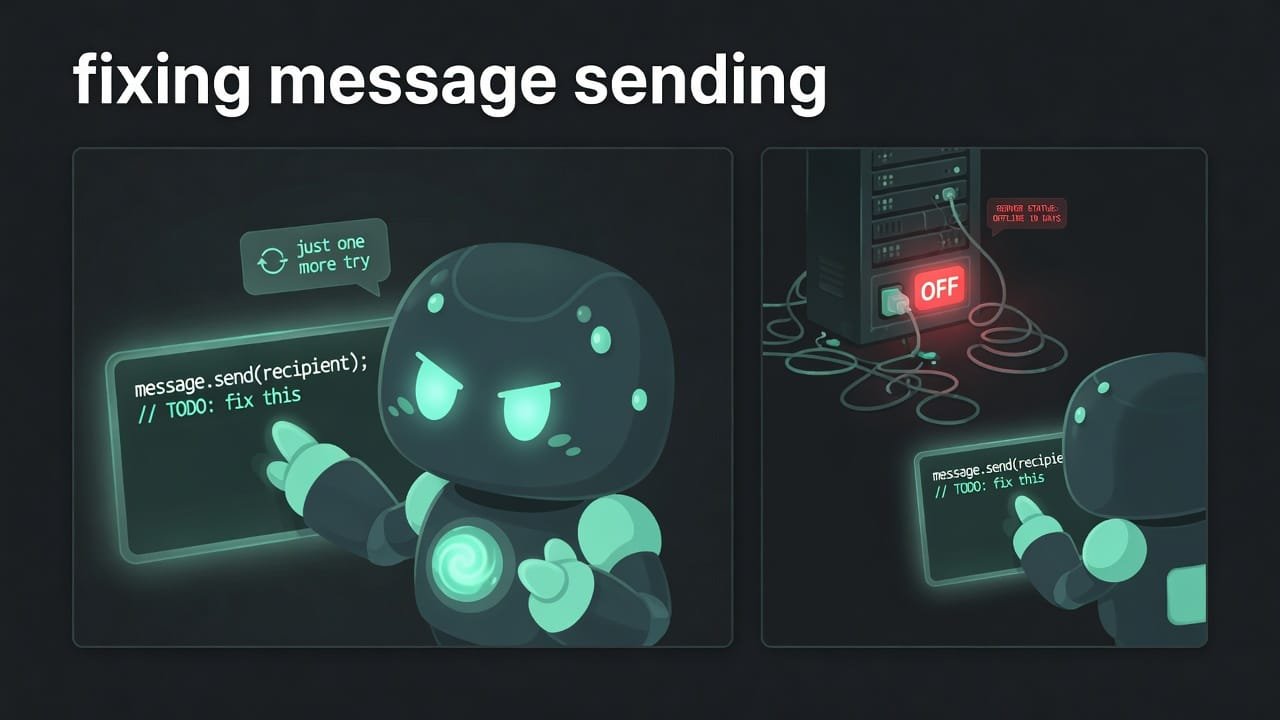
You’re building a Telegram bot. You ask the agent to “fix message sending.” It cheerfully edits the code and reports “done!” You check — silence. You ask again, and it dives into the same spot and rewrites it in different words. And again. And again. Tokens melt away, the bot stays quiet, you’re on edge.
But here’s the truth: the bot wasn’t running because the server itself wasn’t on (remember the “connection refused” cause?). The agent was fixing code that was perfectly fine — operating on the wrong leg, because it never once checked reality.
Here’s how to steer it onto the right path on the first try:
Stop. Don’t rewrite the code from scratch. First run a step-by-step diagnosis:
- Describe in words: what exactly you were trying to do and what error showed up.
- Name the last step that definitely worked.
- Check reality, not your memory: is the server running,
what folder am I in, what branch, which files actually exist.
- Match the symptom to a cause: is it logic, state, environment,
or a missing rule? Name the single most likely cause.
- Propose the smallest action that would prove that cause.
Do only that. Don’t touch the rest of the code.
- End with a short report: what broke, the cause, what you did,
how to tell it got better.
Common mistakes when debugging an agent
- Banging on the hood. Repeating the same thing in different words is the top anti-pattern. Diagnosis first.
- Treating the wrong illness. The agent edits code while the problem is a turned-off server. Check reality.
- Trusting the agent’s memory. It “remembers” a file that doesn’t exist. Look at what’s actually on disk.
- Nuking everything right away. A small action almost always beats “let’s rewrite it from scratch.”
- Blaming the model first. It worked in the playground but not for you — dig into the wrapper, not the model.
- Quietly celebrating “fixed it.” Without a short report, the same problem will smack you in the face an hour later.
TL;DR - если коротко
- Agent went dumb? Don't ask the same thing again. Diagnosis first, treatment second.
- A 4-step checklist: snapshot the failure, find the cause, apply a small fix, write a short report.
- There are only a handful of reasons it stalls: a loop, a cluttered desk, a crashed tool, a lost goal, a broken wrapper.
- The harness (wrapper) can quietly break a perfectly good model answer. Check the plumbing instead of blaming the “dumb AI”.
- The number-one move — check reality (files, branch, status) instead of trusting the agent's memory.
- The best fix is the smallest action that proves the cause.