AI Scraper: a bot that gathers website data for you
A courier robot that crawls the web at night so you don't have to
How to build a scraper bot that crawls sites on its own, pulls the data, lets AI sort it, and drops it into a table - for free, on Gemini Flash and GitHub Actions.
What a scraper is, in plain words
Picture your morning. You open one table - and it’s full of fresh stuff matched exactly to what you care about. New job postings that fit your resume. Concert tickets the moment the price drops. Apartments within your budget. News about only the things that actually grab you.
You could collect all this by hand. Open ten sites, scroll, copy, paste into a table. Every day. For an hour. Ugh.
Or you could hire a courier robot. At night, while you sleep, it runs around all those sites, jots down everything you need in its little notebook, and by morning leaves a finished table on your desk. Here you go, boss - sorted by importance, start from the top.
That robot is a scraper A scraper (from “scrape,” to scrape off) is a program that opens web pages on its own and pulls out the bits you need: headlines, prices, links, dates. Like having someone copy data for you, very fast. - a bot that gathers data for you.

Why a vibecoder should understand the gatherer bot
You’re a vibecoder. You don’t need to memorize how websites work under the hood. But if you understand how a gatherer bot is built, you can:
- get your hours back - the routine you’d be poking at with your fingers gets done by the bot;
- never sleep through anything - the job posting or listing you need won’t slip away while you’re snoozing;
- build all of it for free - no paying for hosting, no paying for AI;
- get a list sorted by importance, not a junk pile.
And the main thing: you don’t write this by hand. You explain the task to your agent (Claude), and it assembles the bot from a proven blueprint. Your job is to understand what the bot is made of, so you can explain it precisely and not end up with mush.
How a scraper works: a three-floor conveyor
Every gatherer bot has three floors, and they run in strict order: collect → enrich → store.
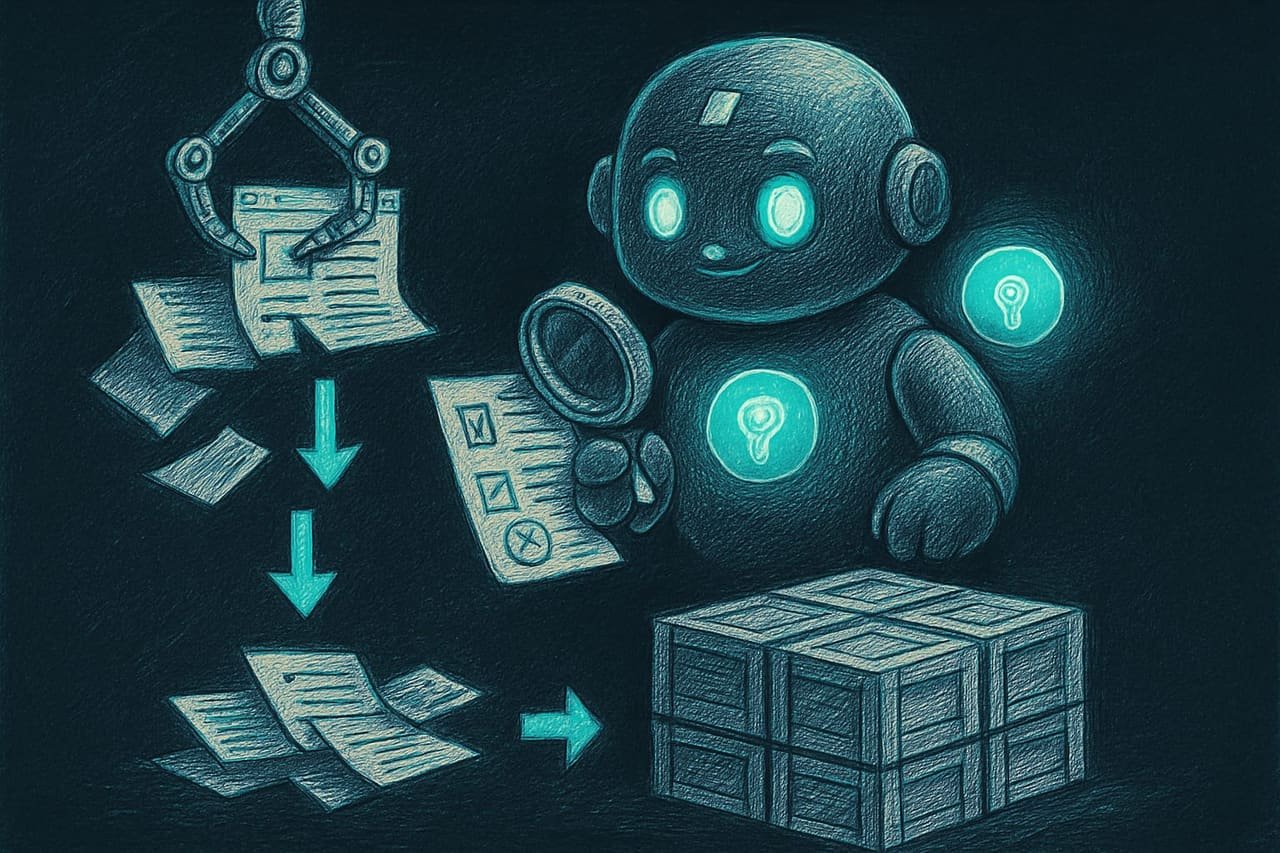
Floor 1. Collect - the bot crawls the sites
The first floor is the scraper itself. It opens a page and pulls out the bits you need: title, link, price, date. Most of the time simple free tools are enough - they cover 80% of ordinary sites without any fuss.
But what if the site is tricky and draws in content on the fly (like a feed that keeps loading as you scroll down)? Then the bot brings out the heavy artillery - a tool that spins up a real browser and patiently waits for the page to finish loading.
Floor 2. Enrich - the AI scores the data
The second floor is the juiciest. Raw data is just a list. But the AI enriches it: it gives each item a score from 0 to 100, writes a short summary, and explains why it fits you specifically.
Watch. The bot brings back 50 job postings. The AI reads each one, checks it against your resume, and assigns points. A posting at 95 - drop everything, apply. At 30 - keep scrolling, not for you.
For this floor we use Gemini Flash Gemini Flash is a fast, free AI model from Google. The free tier covers hundreds of requests a day - more than enough for a home bot. - a free AI that handles this kind of routine sorting beautifully.
Floor 3. Store - the data lands in a table
The third floor is the warehouse. The processed data has to go somewhere you can see it. Most often that’s Notion (a pretty table, handy for marking “like / pass”), but Google Sheets works too, and so does a heavier database.
And here’s one important detail: the bot must not store duplicates. Before each addition it checks - is this link not already in the warehouse? If it is - skip. Otherwise, within a week your table balloons from one listing into forty copies of it.
How to run the bot on a schedule for free
Okay, the bot is built. But who wakes it up? Sitting there poking the “run” button every three hours - not much of a superpower.
This is where GitHub Actions GitHub Actions is a free service that runs your code on a schedule (for example, every 3 hours). It's an alarm clock for the bot that lives in the cloud: your computer can be turned off the whole time. steps in - a free alarm clock in the cloud. You say: “run the bot every 3 hours” - and it runs it. On its own. Even if your laptop is closed and riding in your backpack on the subway.
A bot that learns from your decisions
And now the prettiest part. The bot can learn from your decisions.
In the table you mark: this posting - “saved,” this one - “applied,” this one - “pass.” The bot stores your marks in a little journal file. And next time, while sorting fresh postings, the AI peeks into the journal: “aha, the boss liked stuff like this, and tossed stuff like that” - and arranges everything smarter.
The longer you use it, the sharper the hits. Like a waiter at your favorite cafe who, after a month, is already bringing your order while you’re still taking off your jacket.
A good scraper bot vs. a bad one
- All the settings live in one simple file (keywords, filters) - no need to dig into the code.
- The AI is called in batches - economical, no blowing past the limit.
- Before adding, it checks for duplicates by link.
- It learns from your “like / pass” marks.
- It crawls sites with pauses and respects the rules.
- Keywords are hardcoded - to change them you have to dig into the program.
- Calls the AI one item at a time - hits the limit by the third page.
- Doesn't check duplicates - the table fills up with copies.
- Hammers the site with no pauses - and catches an IP ban.
- Passwords and keys sit right in the code - one day they leak along with the project.
Example: a job-tracking bot
Say you’re looking for a side gig and you’re sick of scrolling job sites by hand every evening. Here’s how you give the agent the task - not “make a scraper,” but in plain words and to the point.
Build me a bot that tracks job postings on its own and drops them into a table. Here’s what I want:
- Once a day the bot visits job sites and collects new postings: title, link, company, salary.
- Before processing, have it filter out the ones that clearly don’t fit my keywords. Move all settings into a separate simple file so I can change the words without editing code.
- Hook up a free AI. Have it score each posting from 0 to 100 on how well it fits me, and write a short explanation of why. Call the AI in batches of 5, not one at a time.
- Store the result in a table, but first check whether that link is already there, so there are no duplicates.
- Make the bot run itself on a schedule once a day, and run for free.
- Don’t write passwords and keys in the code - move them to a secure place.
First show me the plan and the folder structure, and only then write the code.
Common beginner mistakes when gathering data
- Calling the AI for every item. Instant blow-past on the limit. Always batches of 5.
- Hammering the site with no pauses. You’ll catch an IP ban. Put a pause between visits.
- Not checking for duplicates. Within a week the table turns into a junk pile of copies. Compare the link before adding.
- Hiding keywords in the code. Want to swap “New York” for “remote”? Now you’re digging into the program. Move settings into a separate file.
- Writing passwords right in the code. One day the project leaks along with them. Keys - only in a secure place, never in the code.
- Using a sledgehammer to crack a nut. If the site has an honest, open API - take the data from there instead of forcing your way through the HTML.

TL;DR - если коротко
- A scraper opens sites on its own and pulls out what you need: prices, job postings, news, listings.
- The flow is simple - collect → enrich → store: the bot grabs, the AI scores, everything lands in a table.
- It runs for exactly zero dollars: free Gemini Flash AI plus the GitHub Actions cloud alarm clock.
- The big saving is processing data in batches, not pinging the AI for every single item.
- The bot learns from your choices: what you kept, what you tossed - and sorts more sharply over time.
- You don't write this by hand - you explain the task to your agent, and it assembles the whole thing.