How an AI agent works, in plain English: harness, context, and memory
Why your AI is a genius one minute and a goldfish the next
How an AI agent actually works under the hood: the harness, the context window, tokens, and memory. A plain-English breakdown for vibecoders - so Claude and GPT get it right on the first try, not the tenth.
What an AI agent is, in plain English
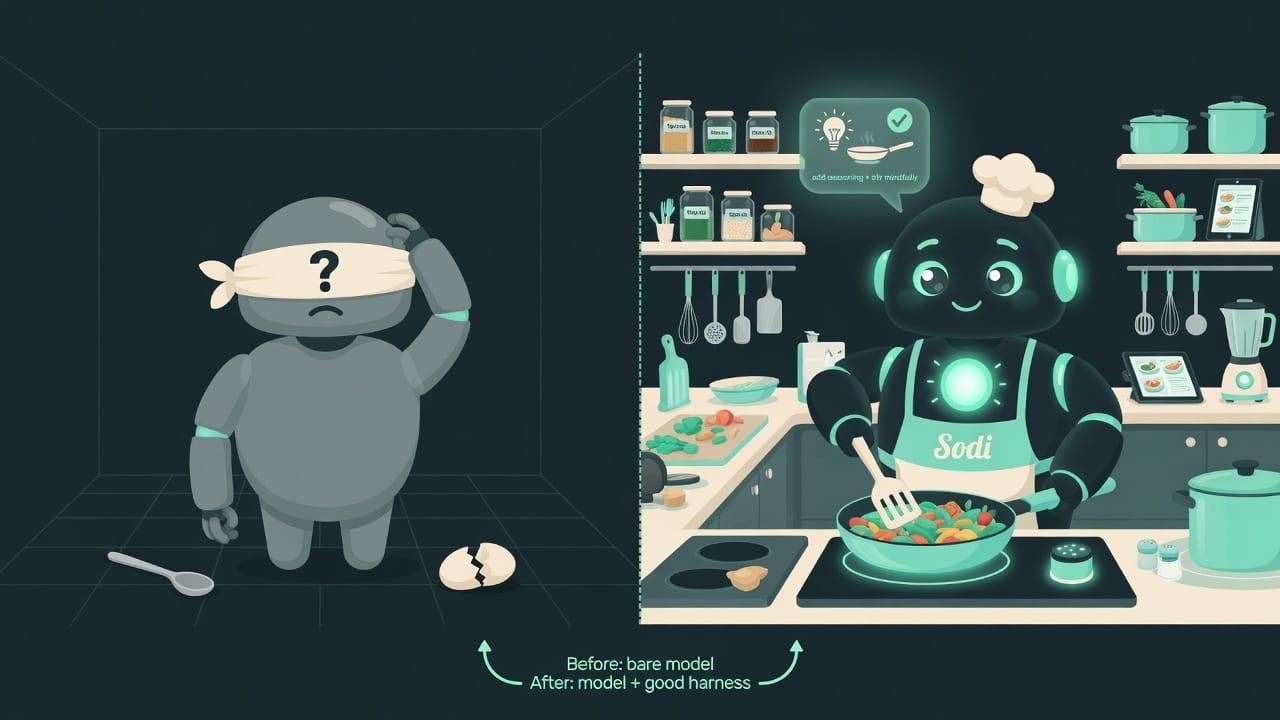
Picture this: you’ve hired a genius chef. Thousands of recipes in their head, can cook anything, works around the clock. One catch: they’re standing blindfolded in the middle of an empty room. No stove, no knife, no fridge. And the second you step out the door, they forget absolutely everything.
That chef is the model (Claude, GPT, and friends). The kitchen around them - the stove, the knives, the recipes taped to the wall, the rule “don’t stick your hand in the fire” - that’s the harness A harness (from the word for a horse's tack - the straps and rigging around it) is everything wrapped around the model: the tools you hand it, the format it sees results in, the rules, and the memory. The model stays the same; everyone's harness is different. . An AI agent = chef plus kitchen. Not one or the other - both.
Why a vibecoder should understand how the agent thinks
You’re a vibecoder. You don’t have to write code by hand. But the moment it clicks for you how an AI agent thinks, a few things change:
- you get frustrated less often and fix the cause, not the symptom;
- you save money - you pay for “thinking” in tokens, more on that soon;
- you get results on the first or second pass, not the tenth;
- you frame the task so the agent doesn’t “drift” halfway through.
“The AI built me a broken site” versus “the AI built me a working site” - most of the time the difference comes down to understanding three things: context, tokens, memory. Let’s start there.
The three pillars: context, tokens, and memory
Context - the AI agent’s desk
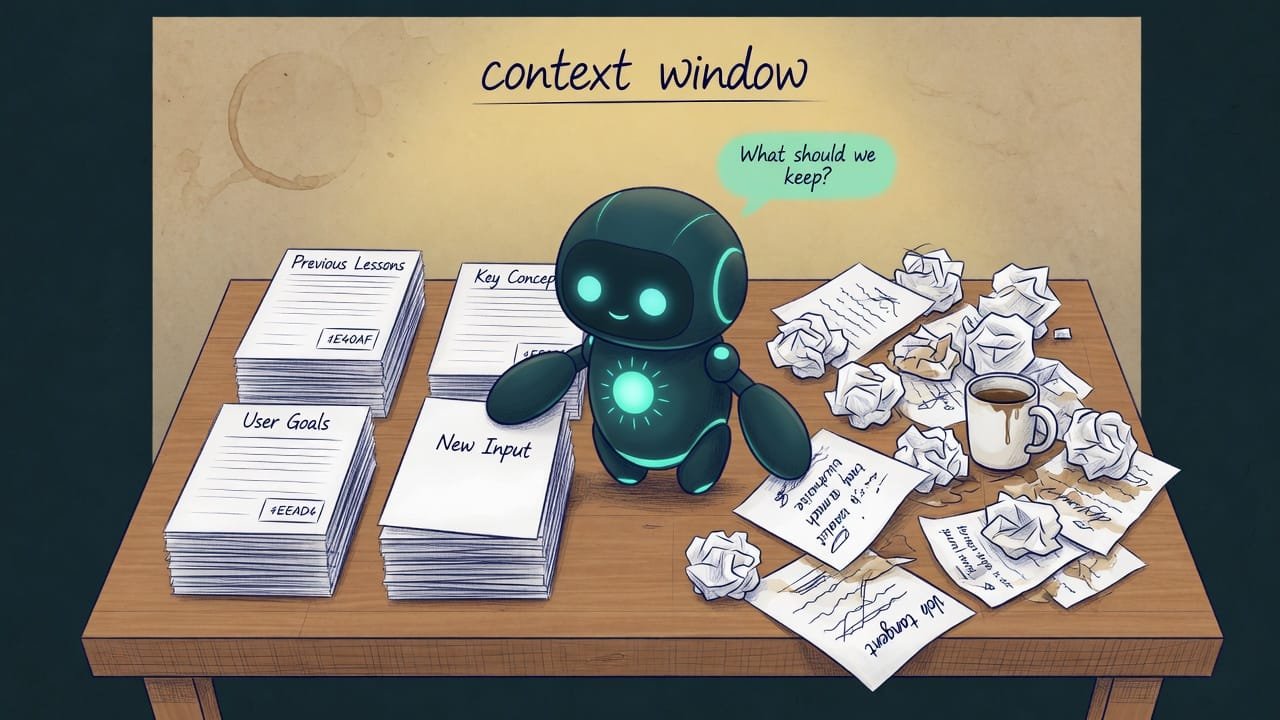
The agent doesn’t have human-style memory. What it has is a context window Context (the context window) is all the text the model can 'see' right now: your messages, files, command output, instructions. Anything that didn't fit or got pushed out simply doesn't exist for the model. - think of it as a desk. Only so many “scraps of paper” fit on that desk: the task, chunks of code, command output, instructions.
When the right stuff is on the desk, the agent is brilliant. Bury the desk in clutter (old messages, walls of logs, five versions of the same file) and the chef literally has nowhere to set down the knife. That’s when it starts losing the thread, mixing up details, and hallucinating.
Tokens - the currency you pay for the desk
Every “scrap of paper” on the desk costs money. For the model, text gets sliced into tokens A token is a chunk of text, roughly 3-4 characters or ¾ of a word. The model both reads and writes in tokens. You pay for input tokens (what you gave it) and output tokens (what it generated). . The more text you shove in and the longer the answers you ask for, the more tokens - which means more expensive and slower.
That’s why seasoned vibecoders don’t paste the whole project into the chat. They point the agent at one file or the specific snippet - or ask it to go find what it needs itself. And they pay pennies instead of a fortune.
Memory: short-term and long-term
This is where beginners get tripped up. The agent has two kinds of memory, and they’re easy to confuse:
- Short-term (working) memory is the context itself - that same desk. It lasts exactly one session. Close the chat or hit a “compact” and it’s all wiped.
- Long-term memory is files on disk. Notes,
MEMORY.md, project rules. The model holds nothing in its head between runs: every time, it re-reads the files from scratch.
Compact: when to clean up the context
When the desk overflows, a compact A compact is the compression of the conversation history: the agent folds the old stuff into a short summary to free up space. Useful, but details get lost in the process. kicks in: the agent folds the old conversation into a short summary. Space frees up - but details vanish. It’s like sweeping everything off the desk into a “misc” folder: you’ve got space, but now finding what you need is a pain.
The whole trick is when you do it:
- At the boundary between tasks: finish a feature, clean up, start the next one with a fresh desk.
- After a big research dive, when you scooped up a pile of files but only need the conclusion.
- When you sense the agent has started repeating itself and mixing up details.
- In the middle of debugging a tricky bug - you'll lose exactly the details you were chasing.
- Right before the agent applies an important decision - it'll forget why it made it.
- Too often, “just in case” - every compact = lost context.
A good harness vs. a bad one
The harness is the kitchen. Here’s how to tell a comfortable one from a nightmare at a glance. This’ll come in handy once you get to hooking up tools - MCP, skills, and the rest (that’s in the chapters ahead).
- Tools have clear names and narrow jobs: “read a file,” “run the tests.”
- Every tool response tells the agent what happened and what to do next.
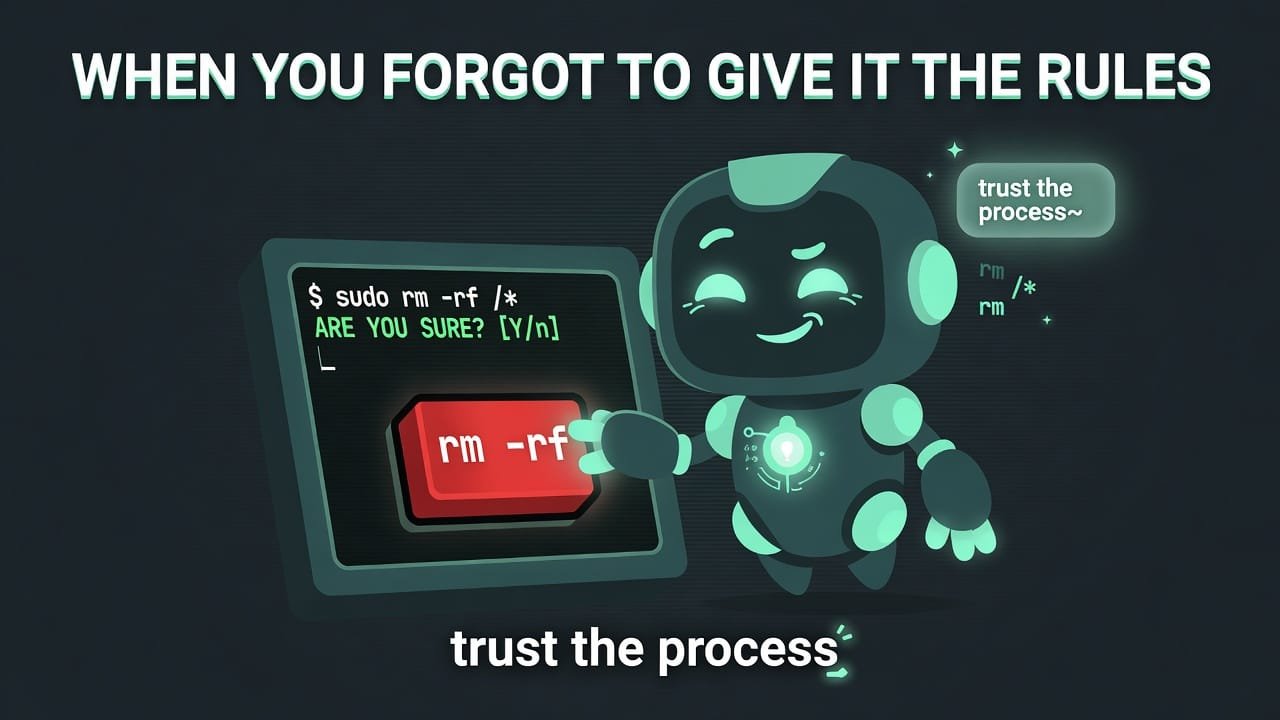
- Dangerous actions (delete, deploy) are separate buttons with confirmation.
- Heavy instructions are pulled out into skills/files and load only when needed.
- One “mega-tool that does everything” - the agent gets confused about what to call and when.
- A tool fails silently or returns a wall of text with no hint of “what now”.
- The system prompt is bloated to thousands of lines - the desk is full before you even start.
- No guardrails - the agent can nuke production with a single command.
AI memory: what helps and what hurts
- Important rules and facts live in files, not in a single message.
- Memory is short and to the point: one note = one fact.
- The agent writes down conclusions into memory as it works (continuous-learning).
- Memory gets checked: stale facts get deleted instead of piling up.
- Memory turns into a junk pile - the agent burns desk space reading garbage.
- Contradictory notes: one says “do it this way,” another says “never do it this way.”
- Secrets (passwords, keys) end up in memory - and then the file leaks.
- The agent trusts an old note even though everything in the project changed ages ago.
A real-world example: why the agent broke a working landing page
You ask: “build me a coffee-shop landing page.” The agent fires up, generates 12 files. Along the way you tweak it 40 times: “button further left,” “different font,” “no, put it back the way it was.” Then an hour in, it suddenly breaks the thing that worked perfectly at the start. And then argues that “it was always like that.”
Here’s what actually happened:
- The desk got buried under 40 edits and a dozen file versions.
- A compact hit - and the agent forgot what the working version looked like.
- The rule “the font is Fraunces” lived only in the chat and got wiped along with the history.
And here’s how someone who understands the kitchen would phrase the same request:
Build a coffee-shop landing page. Before you write any code:
- Write the key requirements into a file called DECISIONS.md (font
Fraunces, teal palette, single page, order button up top). Check
against it as you go.
- Work one block at a time: hero, menu, contacts. After each block,
show me the result and wait for my “ok.”
- Don’t rewrite already-approved blocks without my permission.
- If the history overflows, do a compact ONLY after a finished
block, never in the middle.
Agent acting dumb? A mini-diagnosis
Before you lose it, run through the checklist (this is basically the agent-introspection-debugging skill):
- Is the desk overloaded? Long conversation, agent confused - clean up or start fresh.
- Did you lose context? Maybe a compact wiped something important - repeat the key requirements.
- Is the rule actually in a file? Saying it once in the chat doesn’t count.
- Is a tool failing silently? If the agent is going in circles, maybe a command is breaking and it can’t see the errors.
- Is the task too big? Slice it into chunks of about fifteen minutes of work.
Common beginner mistakes in vibecoding
- Dumping the whole project into the chat. Expensive, and it clogs the desk. Hand over the chunk you need.
- Keeping rules only in the conversation. After a restart they’re gone. Move them into files.
- Pushing one giant task. The agent chokes. Slice it up.
- Cleaning context in the middle of debugging. You’ll lose exactly what you were chasing.
- Ignoring tokens. That “endless” chat eventually shows up with a bill that makes your stomach drop.
- Arguing with the agent instead of restarting. Sometimes it’s cheaper to start a session with a clean desk.
TL;DR - если коротко
- The model is the brain. The harness is the hands, eyes, and rules around that brain. As a vibecoder, the harness is exactly what you tune.
- An agent's memory is like a desk: space is tight (the context window), and you pay for that space in tokens.
- Pile junk on the desk and the agent gets dumber. Do a compact (a cleanup) between tasks, not in the middle of debugging.
- Long-term memory lives in files, not in the AI's head. No file means no memory after a restart.
- Nine out of ten AI glitches aren't a dumb model. They're a cluttered desk, a bad tool, or lost context.