AI Agent Swarms: How to Run Several Agents at Once
One agent crawling through your task? Call in the crew.
AI agent swarms: how to run several agents on one project in parallel. Git worktree, dmux panels, and the DevFleet foreman - no chaos, no fights over files.
What an agent swarm is, in plain terms
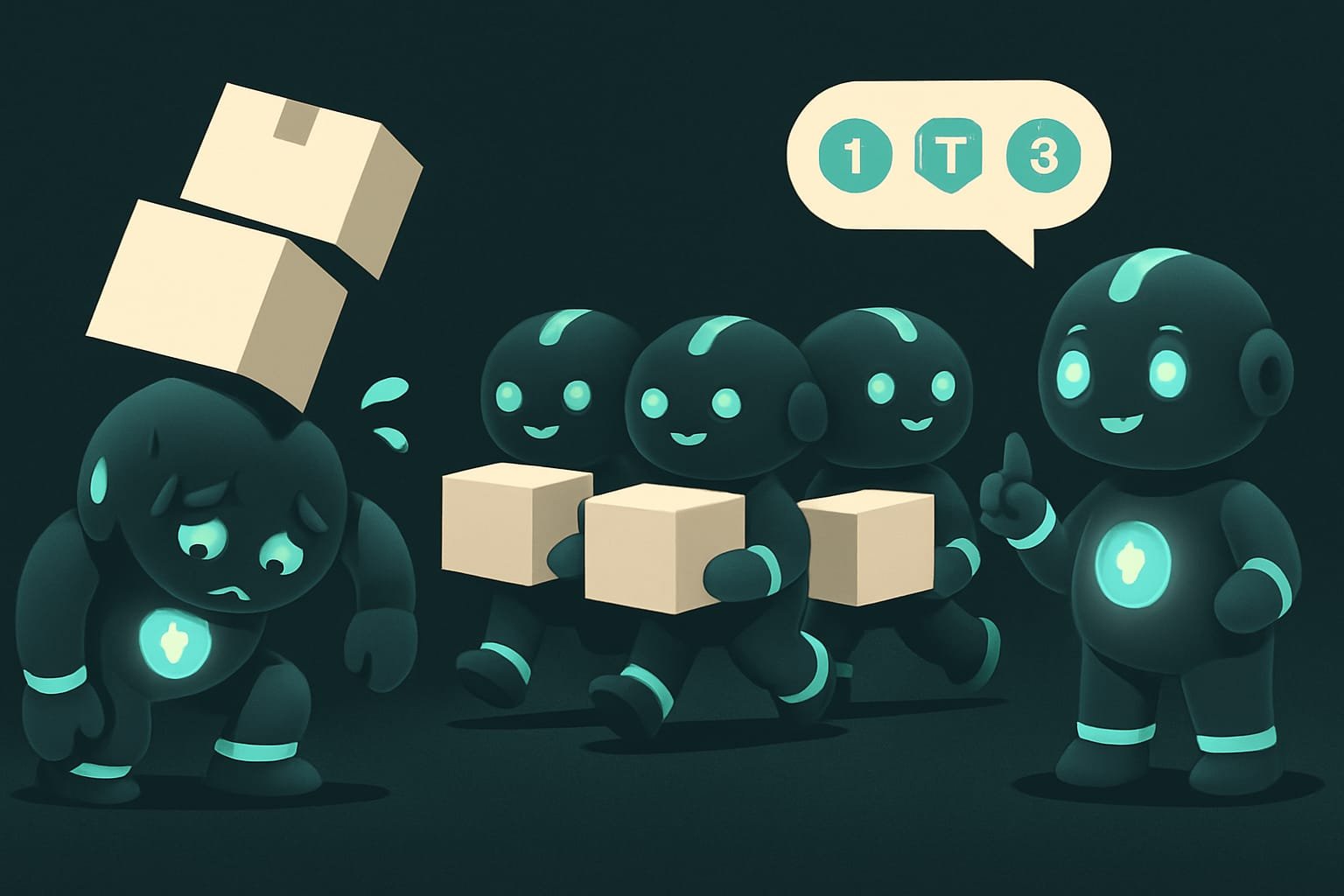
Picture moving apartments in a single day. One mover will be hauling boxes until deep into the night - and by morning he still won’t be done. But a crew of four wraps it up by lunch: one clears the kitchen, another the bedroom, the third loads the truck, the fourth assembles the wardrobe on the spot. Everyone works at the same time.
That’s exactly what an agent swarm is. Instead of one AI helper doing everything in sequence, you launch several. And each one grabs its own chunk of the task.
Why a vibecoder would run several agents
You’re a vibecoder. Sooner or later you’ll get a task that one agent chews through painfully slowly: “build me a site with a database, buttons, a checkout page, and tests.” Sound familiar? If you know how to launch a swarm, you:
- get the result several times faster - four chunks done at once, not one after another;
- don’t lose the thread - each agent sits in its own small task, not one giant wall of “do everything at once”;
- hand out different roles: one writes the code, another reviews it right behind them;
- stop staring at the screen waiting for your one and only helper to limp across the finish line.
Let’s be honest, though: a swarm isn’t a magic “4x faster” button. Launch it wrong and you get four agents editing one file and throwing punches. So next up - how to do it right.
How an agent swarm works: three pillars
1. Splitting: cut the task into independent chunks
The main rule of the swarm goes like this: you can only parallelize what doesn’t depend on anything else. It’s like with movers - two people can’t carry one sofa in opposite directions.
- ✅ “Build the database” + “Design the buttons” + “Write the copy” - these are independent chunks. A swarm fits.
- ❌ “Paint the wall” + “Hang wallpaper on that same wall” - the second one waits on the first. A swarm won’t help here, it’ll just be a mess.
2. Isolation: git worktree gives each one its own copy
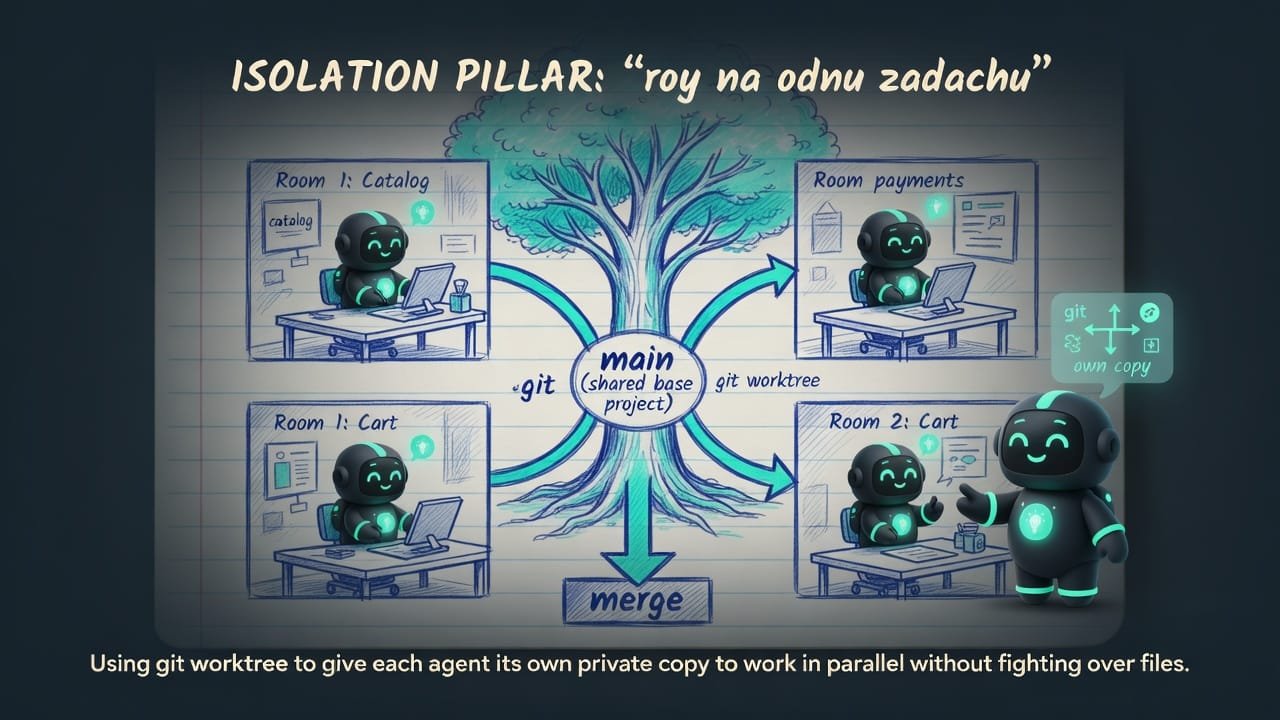
Two agents dive into the same file at once - and overwrite each other’s work. Chaos. The cure is simple: give each one its own personal copy of the project.
There’s a clever trick for this - git worktree A git worktree is a separate working copy of your project in its own folder, but linked to the same repository. You can spin up several copies and work in each one independently, then carefully merge the changes back together. . It’s like giving each mover their own room: let them tidy it up however they want, and at the end you bring it all together. Each agent only touches its own folder. There’s simply nothing to fight over.
3. The foreman: someone hands out work and collects it
A swarm without a coordinator is just a mob. Someone has to hand out the assignments, track progress, and pull the results together. That someone is either you or a dedicated foreman tool. More on those right now.
Two ways to assemble an agent swarm
There are two approaches. The first is by hand, but you see everything. The second - hand it off to an automatic foreman.
Option 1: dmux - agent panels in your terminal
dmux dmux is a panel manager for AI agents built on tmux. It splits your terminal screen into several windows, each with its own agent on its own assignment. splits your terminal into several little panel-windows. Each panel houses its own agent on its own assignment. You literally see the whole crew on one screen.
Here’s what it looks like live:
- Press
n- a new panel appears, and you type its assignment. - Panel 1: “Build login and signup.”
- Panel 2: “Write tests for users.”
- Panel 3: “Update the API docs.”
- Press
m- the panel’s result flows back into the main session.
dmux can run not just Claude but other agents too (Codex, OpenCode, Gemini, and the rest). If you want, put different tools in different panels. A tip from the creators: keep the panel count to 5-6, otherwise tokens and money evaporate before your eyes.
Option 2: DevFleet - the automatic foreman
DevFleet Claude DevFleet is a system that breaks a task into a chain of subtasks itself, hands them out to agents in isolated copies of the project, tracks progress, and gathers the reports. is already a smart foreman. You set the task in words, and it handles the rest:
- It builds the plan itself - it slices “build a REST API with login and tests” into a chain of subtasks (this is what’s called project planning).
- It shows you the plan - which subtasks there are, what depends on what. You nod or tweak it.
- It hands tasks out to agents - each one settles into its own isolated copy of the project.
- Once a subtask is done, its result merges in automatically, and the next step that was waiting on it kicks off by itself.
- When everything’s done, you read a tidy report: which files changed, what got done, where the errors are, what to do next.
dmux or DevFleet: which to pick
- You want to see everything with your own eyes - each agent in its own panel on screen.
- You've already split the tasks yourself and just want to spread them across panels.
- You need different tools in different panels (Claude plus Codex, etc.).
- You like keeping your finger on the pulse and jumping in at any moment.
- You want to describe the task in words and have it split into parts for you.
- The subtasks lean on each other in a chain - let the foreman keep the order itself.
- You don't want to babysit it - you need auto-start and auto-merge.
- At the end you want a structured report, not a pile of panels to untangle.
Example: a swarm of agents on an online store
You tell one agent: “Build me an online store - catalog, cart, checkout page, and tests on all of it.” The agent dutifully gets going and digs through it for three hours, doing everything in sequence. You sit and wait. And wait. And wait a little more.
Now - here’s how a vibecoder pulls it off with a swarm. They see that the catalog, cart, and checkout are mostly independent chunks, and they hand them out to the crew. Each gets its own copy of the project, so they don’t clash over files.
Break the “online store” task into parallel chunks and run them as a swarm.
- First, check which chunks DON’T depend on each other - those can be done in parallel. Set the dependent ones aside for later.
- For each parallel chunk, create a separate copy of the project (git worktree), so the agents don’t edit the same files.
- Hand out the chunks like this: agent 1 - product catalog, agent 2 - cart, agent 3 - checkout page.
- Do the shared tests and the build AFTER the chunks are ready - that’s a dependent step, we don’t parallelize it.
- Keep the agent count to 4. At the end, merge all the branches together and show a short report: what got done, what changed, where problems remain.

Common mistakes when launching a swarm
- Parallelizing dependent tasks. Step B waits on the result of step A - a swarm only tangles things up. Do them in sequence.
- Letting everyone into one file. Without separate copies (worktrees), agents overwrite each other’s work. Give each one its own room.
- Raising a whole army. 15 agents isn’t 15 times faster, it’s 15 times more expensive and 15 times more chaotic. Keep the swarm to 5-6.
- Forgetting the foreman. Someone has to hand out the tasks and collect the results - either you or DevFleet. A mob without a coordinator = chaos.
- Not bringing the results together. The chunks were built in different copies - they have to be merged back into one project. That’s the final step, and it’s easy to sleep through.
- Merging blindly. Before merging, quickly check what each agent produced. Otherwise you’ll drag someone else’s bugs straight into the main project.
TL;DR - если коротко
- An agent swarm is when several AIs hack away at different chunks of one task at the same time, instead of a single one dragging everything through in sequence.
- You can only parallelize independent work. Task B is waiting on the result of task A? A swarm will only make a mess here.
- So agents don't fight over the same file, each one gets its own copy of the project via git worktree.
- dmux - terminal panels, each with its own agent. DevFleet - the foreman: it hands out tasks and gathers the report itself.
- Keep the swarm small, up to 5-6 agents. Every agent burns tokens, and tokens are your money.
- The chunks were built in separate copies - at the end you have to merge them back together. That's the finale, don't sleep through it.