React and Next.js in plain English: components, props, state
A website is a LEGO set. And no, that flicker isn't random
React and Next.js explained simply for vibecoders: what components, props and state actually are, how the server differs from the browser, and which prompts get your agent to build a tidy site.
What React is, in plain English
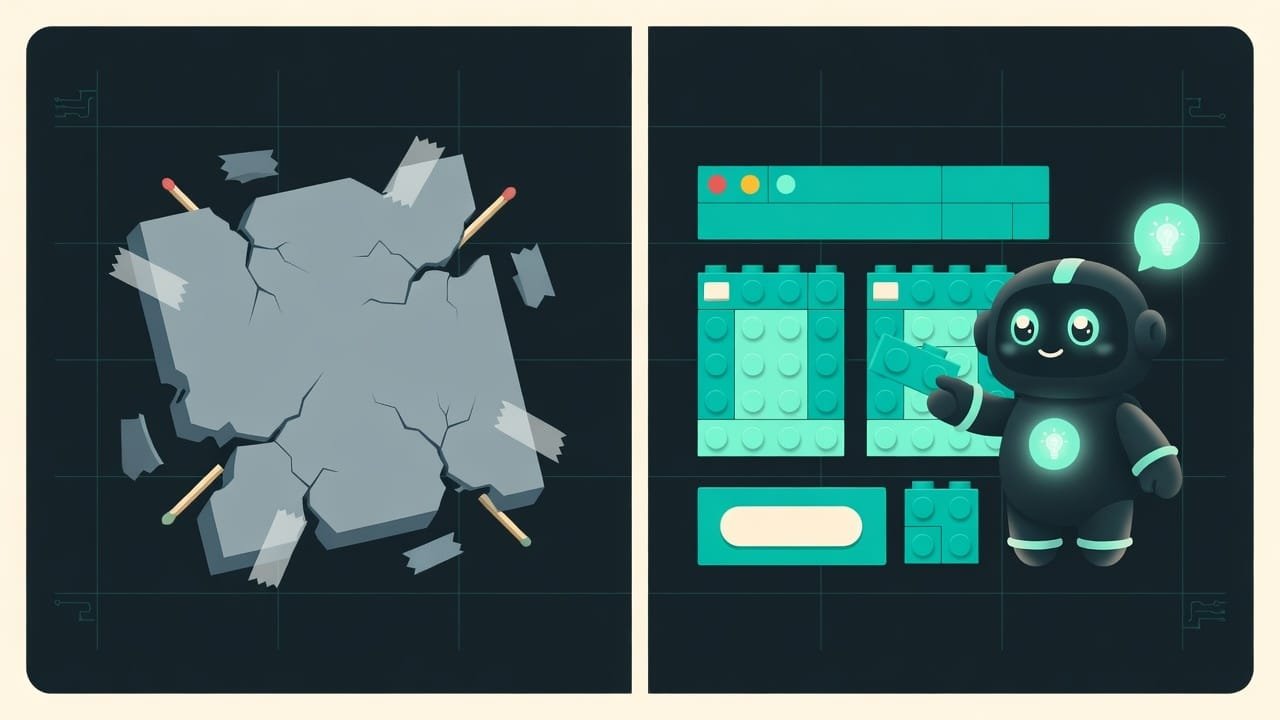
You’re building a LEGO house. You don’t sculpt it from one solid lump of plastic. A window brick, a door brick, a wall brick - you put it together from parts. Make one good window brick once, and you can stick it wherever you want, twenty in a row if you like.
That’s exactly what React React is a library for building interfaces out of reusable blocks. It's the most popular way to make modern websites and apps. is about. A construction kit for websites. A button, a product card, a header, a form - every chunk of the interface is a component A component is a self-contained block of interface with its own markup and logic. A button, a card, a menu - these are all components you can drop in anywhere. . A page is assembled from components, like a house from bricks. Boring? Sure - but it works.
And Next.js Next.js is a layer on top of React: it adds pages, addresses (routing), server-side work and a pile of ready-made conveniences. It's the go-to way to build a real website with React. is the deluxe, all-included LEGO box. Same React bricks, but with ready-made rails for pages, addresses and the server. With bare React you build a little house. With Next.js you get a whole city, roads and traffic lights included.
Why a vibecoder needs to understand React
You’re a vibecoder. You don’t have to write code by hand. But almost any site your agent generates will end up on React or Next.js - there’s not much choice. And if you understand how it’s built, you can:
- give your agent commands in its own language, so it doesn’t drift;
- understand why tweaking one button suddenly broke three others;
- catch the moment your agent slaps together a slab instead of tidy bricks, and send it back to redo;
- stop flinching at the words “component,” “prop,” “state” - and you’ll hear them a lot, so get used to it.
The difference between “the agent built a site you can’t change” and “it built a site you can edit in a minute” comes down to understanding three things: components, props, state. Let’s start there.
The three pillars of React: components, props, state
Components are LEGO bricks
Every chunk of interface is its own brick. The Buy button, the product card, the top menu. The rule, earned the hard way: a component should be small and about one thing. The card shows the product. The button gets clicked. Done. Don’t build a “mega-brick” that tries to do everything at once - you’ll curse it yourself later.
Props - the data a component gets from the outside
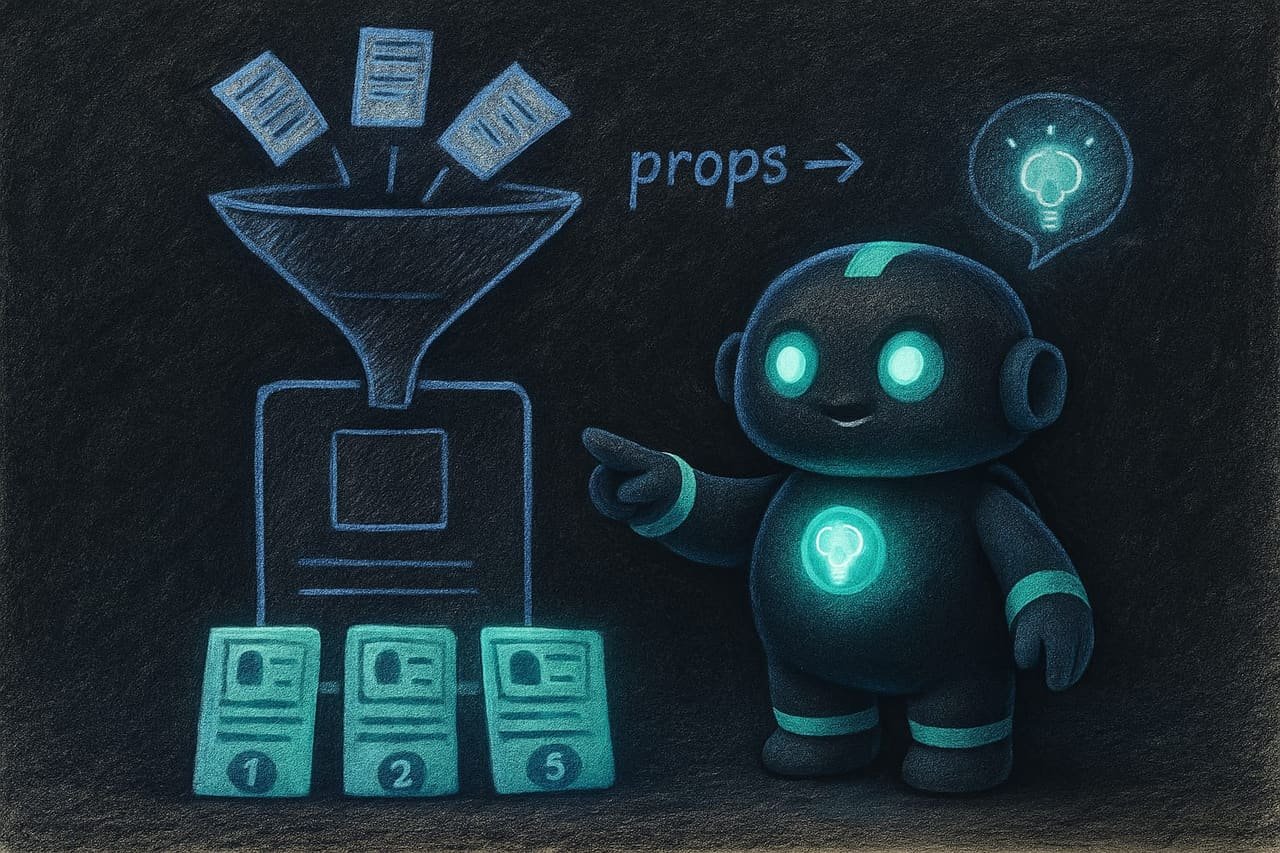
A card brick is empty on its own. To make it show a specific product, you pass data into it from the outside - the name, the price, the image. Those passed-in values are the props Props (short for properties) are the data a component receives from the outside, from its parent. They're the brick's settings: what text to show, which image, what to do on click. .
One card brick plus different props equals twenty different product cards. One component, reused everywhere. That’s the whole power of it. Write a brick once, then use it a hundred times with different fillings, and each time it’s good as new.
State - the component’s own memory
Props come from the outside. State State is a component's internal memory that can change: whether the menu is open, what's typed into a field, how many items are in the cart. Change the state and React re-renders whatever's needed on its own. , on the other hand, is what a brick remembers about itself and what changes while it’s running. Is the menu open or closed. What you typed into the search box. How many items are in the cart.
React’s magic in one sentence: change the state and the screen updates itself. You don’t have to reach in and rewrite the page by hand. Drop an item into the cart and the little number up top updates on its own. Handy.
Server vs browser in Next.js: where the code lives
This is where beginners get rattled the most. In Next.js, code comes in two flavors, and you can’t mix them up.
- Server components run on the server. They can reach into the database, read secret keys, prepare the page in advance. But they can’t react to clicks or hold state. This is the “kitchen”: the food gets cooked there, but guests aren’t allowed in.
- Client components run in the user’s browser. Clicks, typing, animations, state - all theirs. This is the “dining room”: that’s where you serve and talk to the guest. They’re marked with a special
use clientline at the top of the file.
- Loading data from the database right while the page is being assembled.
- Working with secret keys - they never leak to the browser.
- Heavy static content: text, images, SEO pages that rarely change.
- Less code shipped to the user → the site loads faster.
- Buttons and clicks that need to be reacted to.
- Input fields and forms that validate as you type.
- Anything that opens and closes: menus, modals, tabs.
- Animations and any effects right there in the browser.
Good vs bad component assembly: how to tell them apart
Your agent built you a site. Here’s how to eyeball the difference between a tidy build and one you won’t want to go near later.
- The page is split into small bricks with clear names.
- One brick is reused with different props instead of being copy-pasted.
- State holds only what actually changes.
- Every item in a list has a stable key (id), not a position number.
- The whole page is one giant file a thousand lines long.
- The same block is copied five times with tiny tweaks.
- State duplicates what can be calculated from other data.
- Data loading is wired up sloppily → rows jump and flicker on refresh.
A real-life example: a product catalog with search
You ask your agent: “build a page with a product catalog and search.” It cheerfully spits out one 900-line file where everything is dumped into a pile. Next you ask “change the product card” - and it breaks the search at the same time, because it’s all tangled into one knot. And then the list flickers and twitches on every keystroke, like it’s got a nervous tic. Sound familiar?
What went wrong:
- There were no bricks - one slab where everything hooks onto everything else.
- The search query hit the database on every letter - hence the twitching.
- Data was loaded sloppily, so the list jumped on every refresh.
Now here’s the same thing, but done properly so it comes out tidy:
Build a product catalog page with search in React and Next.js. Requirements:
- Split it into small components: product card, card grid, search field. Each component does one thing.
- The product card gets all its data through props and never touches the database itself.
- Keep in state only what changes: the search text. Compute the filtered list on the spot, don’t store it separately.
- Run the search with a delay of about half a second after the user stops typing, not on every letter, so the list doesn’t twitch.
- Give every card in the list a stable key based on the product id, not on a position number.
First show me the component structure as a list and wait for my OK, then write the code.
Why a site glitches and flickers: quick diagnosis
Before you flip out on your agent, run through this checklist.
- Everything flickering and twitching? Most likely the data reloads on every little thing, or the search hits the database on every letter. Ask for a delay and proper loading.
- Fixing one thing broke another? That means it’s all dumped into one brick. Ask to break it into smaller components.
- Numbers don’t match (one thing in the cart, another in the total)? State is duplicating something that should be calculated on the spot. Ask it to “derive, don’t store.”
- A button won’t click, a form is dead in Next.js? Looks like it’s a server component when you need a client one (
use client). - A long list is lagging? If there are hundreds of items, ask for virtualization: render only what’s on screen, the rest waits off-stage.
Make it pretty: accessibility and clear tags
This chapter is called “Make it pretty,” so here’s a short interface rule: ask your agent to use plain, clear HTML tags - a button is a button, a link is an a, a menu is a nav. This isn’t pedantry for its own sake. Sites like this work from the keyboard, screen readers for blind users understand them, and search engines do too. Every input field should have a label. A pretty site isn’t just nice colors. It’s also something everyone can use, not just a mouse on a big monitor.

Common React beginner mistakes
- Asking for “do it all in one file.” You’ll get a slab you can’t change. Ask for bricks.
- Thinking copy-paste equals reuse. Five copies of a block are five places where you’ll have to fix the same bug. One component with props is one place.
- Duplicating data in state. Totals, sums, filtered lists - compute them on the spot, don’t store them separately.
- Mixing up server and browser in Next.js. Clicks and typing - client brick. Secrets and the database - server brick.
- Firing the search on every letter. The site twitches and lags. Ask for a delay.
- Forgetting stable keys in lists. Otherwise, when things change, the list gets confused about what goes where and makes a mess.
TL;DR - если коротко
- React is a LEGO set for websites: a page is assembled from small component blocks instead of being slapped together as one giant slab.
- Props are the filling you drop into a block from the outside. State is the block's own memory: what's clicked, what's typed, what's open.
- Remember one thing: what you see on screen = props + state. If you can calculate it on the spot, don't put it in state.
- Next.js is React with routing, pages and a server included. Some code lives on the server, some in the browser - and you can't mix them up.
- Lag and flicker are almost always extra re-renders and data sitting in the wrong place. React isn't the problem here.
- Get the three pillars - components, props, state - and your agent will stop building sites you can't change.